Home

Main navigation

  • Home
  • Knowledge Base
    • Knowledge Base Overview
    • How to access FileHold
    • The Library hierarchy
    • Searching for documents
    • System Administration
    • Workflows for Documents
    • Document Viewers
    • Library Administration
    • Courier overview
    • Administration Reports
    • FDA and Web Client Preferences and Settings
    • How to Use Mobile FileHold
    • Scanning and importing documents into FileHold
    • Customizing FileHold
    • Solution design resources
    • Developer resources for FileHold
    • Technical Documentation and Troubleshooting
  • Blog
  • Filehold.com

Breadcrumb

  1. Home
  2. Knowledge Base
  3. How to access FileHold
  4. Web client new feature introduction message

Web client new feature introduction message

When FileHold is upgraded, a message box will appear in the Web Client that lets the user know that changes have been made to the interface. This page describes the new features and enhancements that have been made to the Web Client. This message can be turned off using the checkbox.

Image
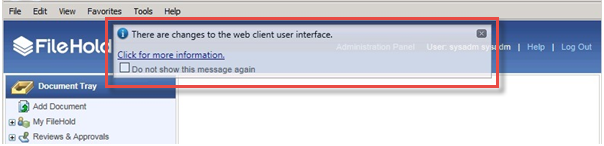
web client changes message
Related Knowledge Base Article(s):
  • Web client access through a web browser
Knowledge Base >

How to access FileHold

  • Nexus client DMS cockpit overview
  • Nexus client access through a web browser
  • Using the web Outlook integration
  • FileHold Desktop Application (FDA) access
  • Desktop Client troubleshooting guide
  • I lost or forgot my password or user ID
  • Logging in with Multi-Factor Authentication
  • Web Client Access through a Web Browser
  • Web client new feature introduction message
  • Desktop client vs web client comparison
  • Office integration with FileHold Office Client (FOC)
  • Microsoft Office troubleshooting
Image
Filehold Logo
Home Knowledge Base Blog Sitemap Filehold.com

© 2026 FileHold All Rights Reserved